rubber duckyno.86
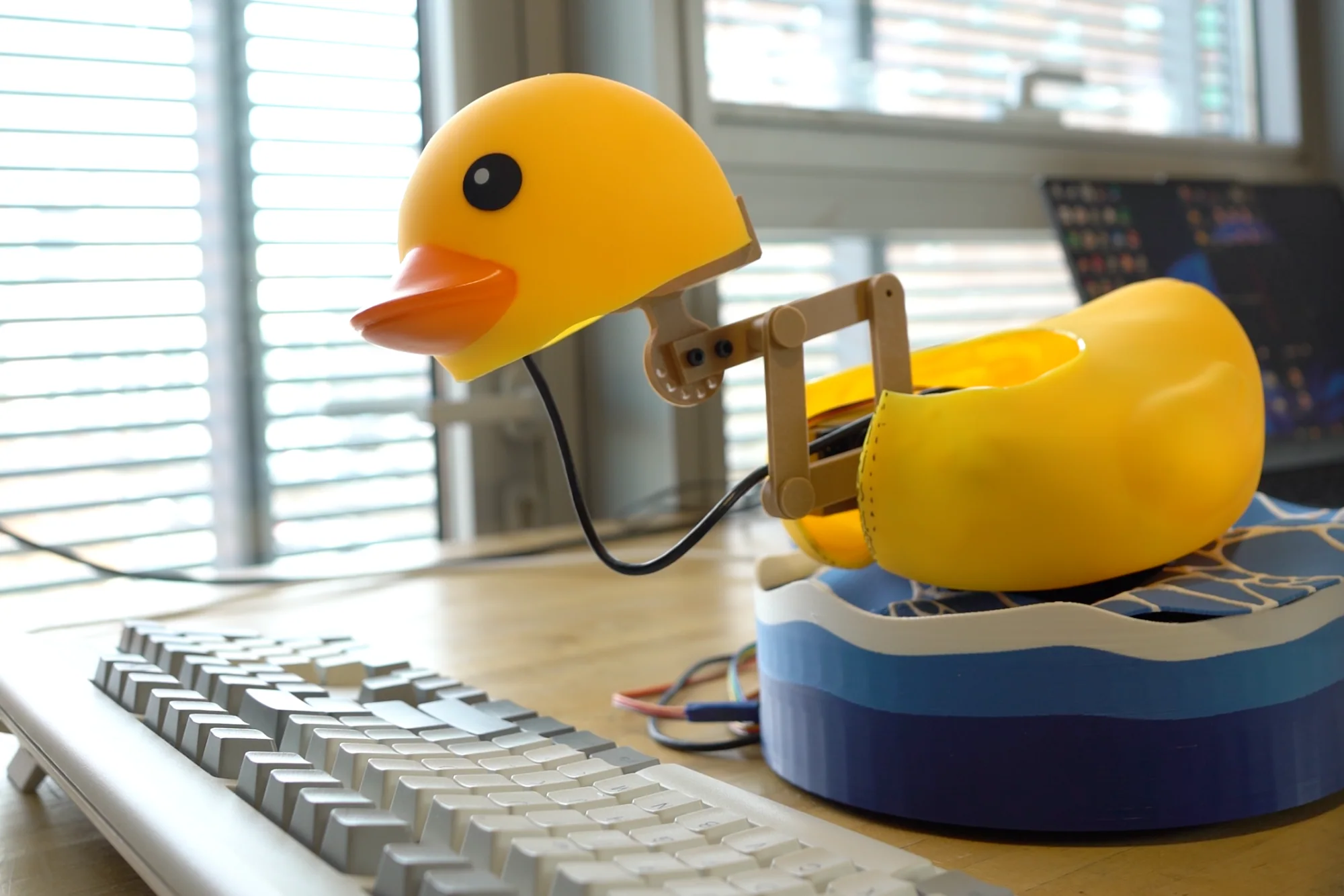
an ai-powered mechanical duck that listens to your code, then pecks the fix onto the keyboard.
- program
- MIT Media Lab · Tangible Media Group
- team
- Q. Kuang · Y. Wang · L. Huang · K. Zhang · H. Tang
- prize
- HARD MODE 2026, MIT AI Hardware Hackathon: Anthropic Prize Winner
- year
- A.D. 2026
01mission briefing
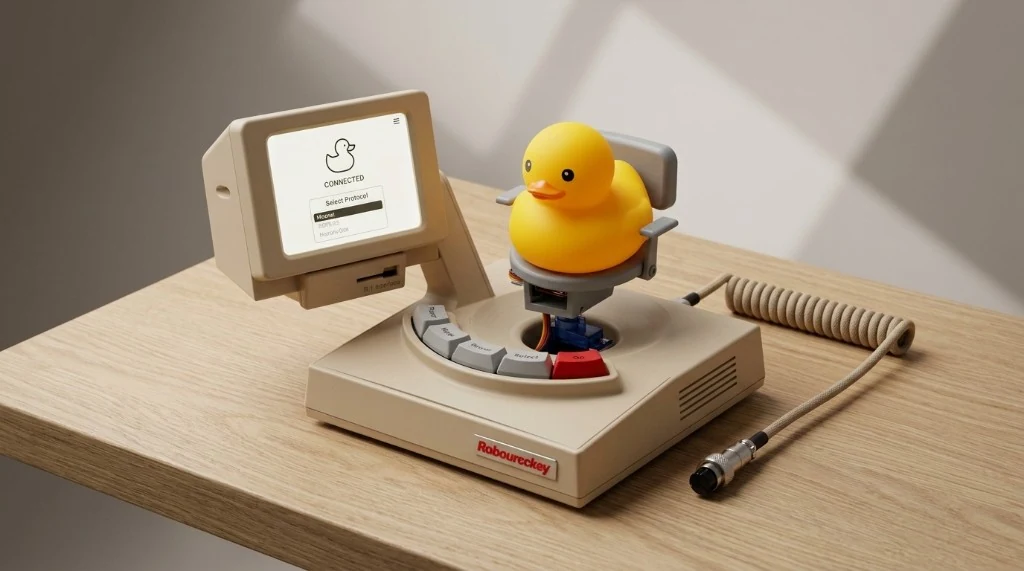
programmers talk to rubber ducks to reason about code. this one listens, and then fixes your code itself, pecking at the keyboard with its oversized bill.
> hypothesis
We built it to stress-test LLMs in the physical world. The bill can't hit single keys precisely, so the duck constantly makes and corrects errors while replanning its movements. We gave it a grumpy personality: it quacks, complains, and begrudgingly types through its Sisyphean task.
> question
It pulls “vibe coding” into the physical world, and asks: if humans can continuously adapt, re-plan and correct their actions in real time, can AI do the same?
02peck simulator
it misses. that's the point.
A working model of the duck's motion: the same three servos, the same circle-intersection kinematics, the same clumsy bill. Give it something to type and watch it aim, miss, complain, backspace, and slowly get better as the camera calibrates its aim.
- base
- 0°
- left
- 0°
- right
- 0°
~/duck $
- duck> ready. what do you want typed. quack.
- pecks
- 0
- misses
- 0
- fixes
- 0
- accuracy
- –
- aim offset
- 8.2 mm
model, not footage: miss rates and offsets are simulated. Keys are drawn at the standard 19 mm pitch.
03kinematics
two circles, one neck.
The neck is a four-bar linkage with two degrees of freedom, extension and pecking, driven by two servos. To put the bill on a key, the microcontroller solves inverse kinematics with a compact circle-intersection method. Drag the yellow target.
- the shoulder circle.The upper arm pivots at the shoulder, so the elbow must sit somewhere on a circle of radius L₁ around it.
- the target circle.The forearm has to end at the target, so the elbow must also sit on a circle of radius L₂ around the target.
- where they cross.The two circles meet at two points. Each is a valid elbow, and each is a different pose.
- never flip.Always keep the upper one. The neck never jumps between solutions, so motion stays stable, and the maths is light enough to run on the microcontroller.
- reach
- –
- left servo
- –
- right servo
- –
- solutions
- 2 · keep upper
04hardware
three servos and a bill.
One servo in the base swings the whole neck across the keyboard. Two more drive the four-bar neck: one reaches, one pecks. Everything else is 3D-printed, in several colours.
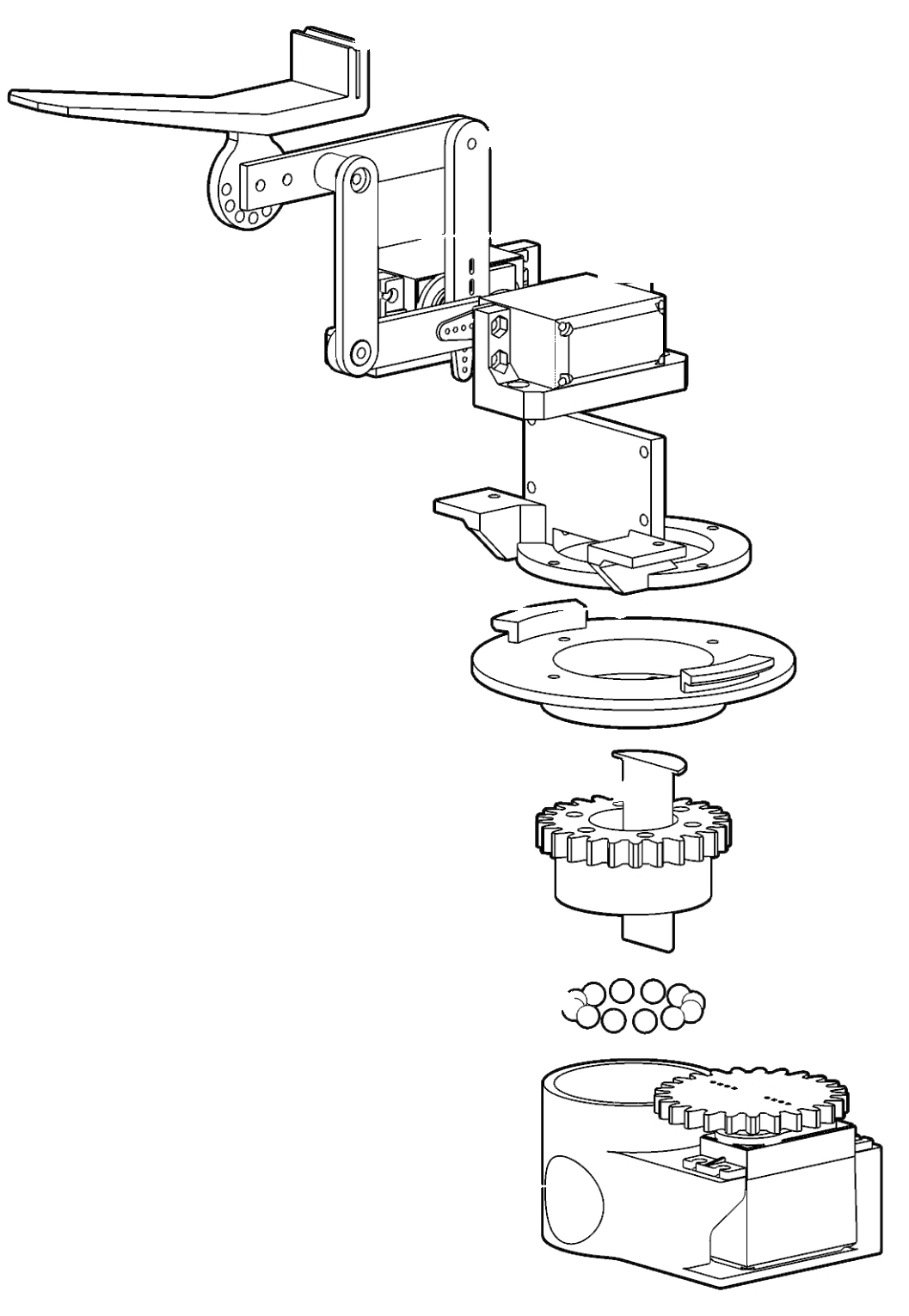
- head frameCarries the duck's head and its oversized bill, the part that actually strikes the keys.
- 4-bar linkageTurns two servo rotations into the neck's two motions: extension and pecking.
- left + right servosThe neck's two drivers, mounted side by side at the foot of the linkage.
- custom connectorsPrinted brackets that lock the neck assembly onto the turntable.
- stop pin + gearThe gear carries the base servo's rotation up to the neck; the stop pin keeps the swing within range.
- ball bearingsA ring of bearings lets the turntable spin smoothly under the weight of the neck.
- base + base servoSwings the whole neck left and right across the keyboard.
- yaw
- base servo
- reach
- four-bar neck
- peck
- four-bar neck
Multi-colour printing with kind help from Richard Zhang.
05system
a duck with a master mind.
Mechanics, audio, sensing and AI run as separate modules that talk over HTTP. A central server hands out tasks and the modules report back. Claude is the master mind, and the loop only closes when the code on screen is right.
- You talk through the bug. The editor turns your voice into a prompt.
- The spoken prompt and the current text diff go to the main server: the bridge.
- Claude, the master mind, reads the prompt, the diff and any calibration advice.
- It answers with a tool path, the keys it means to hit, and a few quips and quacks.
- ElevenLabs turns the quips into the duck's grumpy voice.
- The firmware runs the tool path. The base swings, the neck reaches, the bill pecks.
- An ESP32 camera watches the bill. Gemini compares where it landed with the keys it meant to hit, and suggests a calibration.
- The keystrokes land in the editor. The new diff goes back to Claude, and the loop runs again until the code is right.
07build log
from bench to bill.
IMG_01 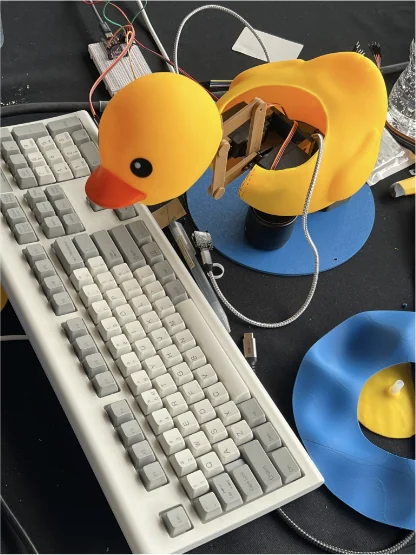
first pecks.The neck meets a real keyboard.
IMG_02 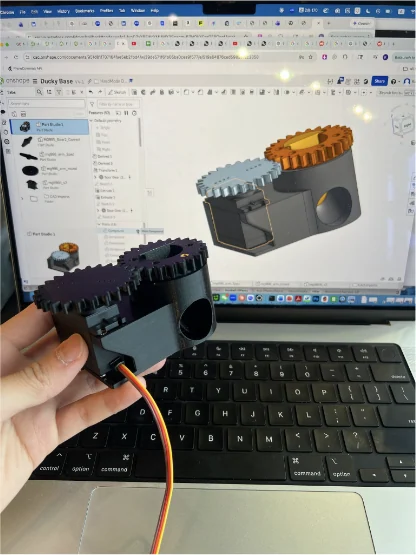
the geared base.From CAD to print.
IMG_03 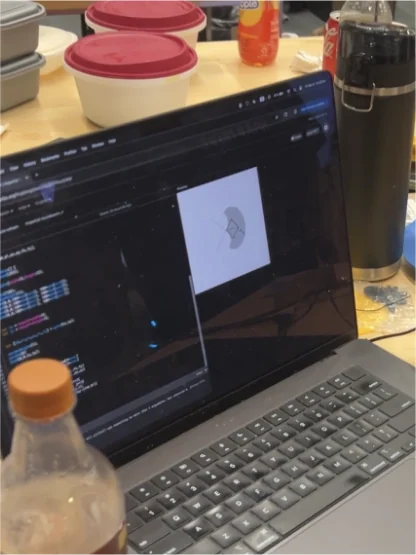
simulation.Servo ranges tuned in software first.
IMG_04 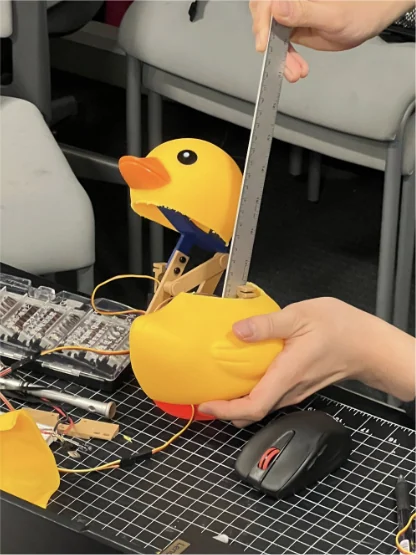
measuring reach.The neck against a ruler.
IMG_05 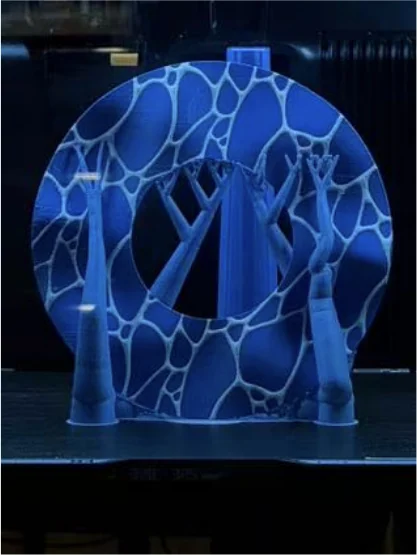
multi-colour print.The wave base, layer by layer.
- make the error the point.A bill can't hit single keys precisely. Instead of hiding that, the duck lives in constant correction. That's the experiment.
- give it a personality.Grumpy quips turn every miss into something you watch, not something you wait for.
- close the loop with eyes.The editor's text diff says what went wrong; the camera says where the bill actually landed.
- keep the brain off the duck.A central server dispatches tasks to separate modules over HTTP, so each part can fail, retry and report on its own.
- solve it on the chip.Simulated servo ranges plus a compact IK keep every peck stable and computable on a microcontroller.
08crew manifest
the humans behind the duck.
Five designers, makers and engineers from the MIT Media Lab and Harvard GSD.
- crew_01.idQuincy Kuanghardware + businessportfolio ↗linkedin ↗
- crew_02.idYuhan Wanghardware design + researchlinkedin ↗you are here
- crew_03.idLingdong Huangsoftware developmentportfolio ↗
- crew_04.idKai Zhangdesign · branding · graphicsportfolio ↗linkedin ↗
- crew_05.idHaoheng Tangai applicationsportfolio ↗linkedin ↗
09origin studio
we design the future of ai hardware.
Tangible Interface is a research and design studio building a new generation of physical objects in which artificial intelligence can think, move and live. Rubber Ducky is its first transmission, and more AI hardware experiments are already on the bench.
- tangible objects + ai behaviour
- hardware research × industrial design
- boston, ma
10specifications
rubber ducky 86.
- type
- AI-powered mechanical rubber duck
- motion
- 3 servos: base yaw on a geared, ball-bearing turntable; left + right servos on a four-bar neck (reach, peck)
- kinematics
- inverse kinematics on the microcontroller, circle-intersection method, non-flipping
- mind
- Claude: tool paths, intended keys, quips
- voice
- ElevenLabs
- eyes
- ESP32 camera + Gemini image analysis, for calibration
- interface
- custom text editor with speech-to-text
- system
- HTTP: a central server assigns tasks; distributed modules execute and report back
- fabrication
- multi-colour 3D printing
- year
- 2026
- program
- MIT Media Lab · Tangible Media Group
- prize
- HARD MODE 2026, MIT AI Hardware Hackathon · Anthropic Prize Winner
- team
- Quincy Kuang, Yuhan Wang, Lingdong Huang, Kai Zhang, Haoheng Tang
- my role
- hardware design + research
- studio
- Tangible Interface